ClickFunnels For Beginners: A Complete Step-by-Step Guide To Your First Sales Funnel
Starting with ClickFunnels can feel like a big step if you’re not sure where to begin. I still remember the first time I stared at my account dashboard, so many buttons, templates, and terms I’d never heard of. But with a little bit of guidance and a few hard-learned lessons, your first sales funnel will come together way smoother than you might think. If you’re ready to give ClickFunnels a real try, this guide will walk you through the basics step by step.
TL;DR: ClickFunnels for Beginners
If you’re short on time, here’s a quick summary: ClickFunnels helps beginners build sales funnels without needing any coding. You’ll start by knowing what a funnel is, sign up for an account, pick a template, customize your pages, set up your product and payments, test everything, and publish. This guide lays out every step in detail, plus tools and tips to avoid the headaches I had when I started.
What Is ClickFunnels And Why Should Beginners Care?
ClickFunnels is a super popular tool designed to help you build landing pages and complete sales funnels with drag and drop ease. You can use it to collect emails, sell products, book appointments, or even host webinars, all from one dashboard. For anyone new to digital marketing, it’s a pretty handy way to get a professional funnel live, fast, and without needing technical skills.
I used to fiddle with WordPress plugins and complicated design tools before I gave ClickFunnels a shot. The relief of skipping coding and jumping straight to testing offers was wild.
If you want to get a feel for how ClickFunnels stacks up to the competition, this list of landing page tools is worth checking out.
Understanding Sales Funnels: The Big Picture
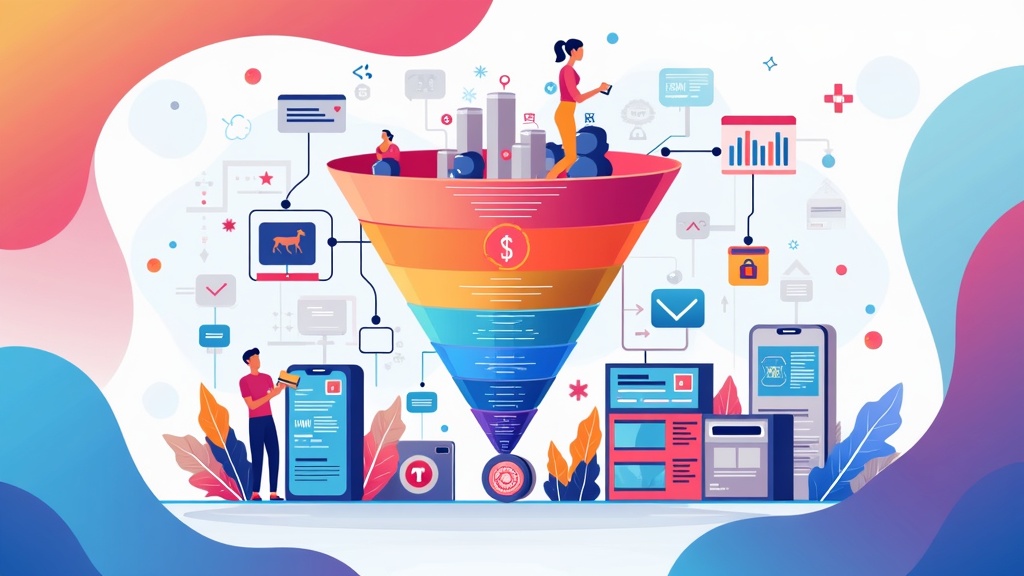
The whole idea of a sales funnel is just guiding a visitor step by step to take action, like signing up or buying. Here’s what a basic ClickFunnels sales funnel usually looks like:
- Optin Page: Collects emails in exchange for something free (like an ebook or checklist).
- Sales Page: Shows off your product or service and explains why it’s worth buying.
- Order Form: Secure checkout page for purchases.
- Thank You Page: Confirms purchase or signup, maybe giving additional offers.
If you’ve ever downloaded a free worksheet and then ended up on a checkout page, that’s a funnel in action. ClickFunnels makes stringing these pages together easy, which is why a lot of beginners get hooked on using it for their first offers.
Getting Started with ClickFunnels: Your First Steps
Jumping into ClickFunnels for beginners starts with these steps. Here’s how I recommend getting your bearings:
- Sign Up for an Account: ClickFunnels has a free trial, so you can play around before paying. Just head to clickfunnels.com and register.
- Explore the Dashboard: Spend time clicking around. The menu is full of options, but you’ll spend most of your time in Funnels and Pages to start.
- Pick a Funnel Goal: What do you want your funnel to do? Capture leads, sell a product, get webinar signups? Set one clear goal before you build.
I jumped straight in my first day, but honestly, it helped way more to outline my funnel on paper first. Knowing my goal meant all the tech stuff actually made sense.
Building Your First Sales Funnel: The Step by Step Process
Once you’re inside ClickFunnels, here’s a simple step by step approach that I follow every time I spin up a funnel:
- Create a New Funnel: Click “Build a Funnel” and pick a goal, for example, “Collect Emails” or “Sell Your Product”.
- Choose a Template: ClickFunnels offers lots of ready made templates. Find one that matches your goal. Don’t stress about the design, you can tweak everything later.
- Customize Your Pages: Click into each page and edit the text, images, colors, and forms using the visual editor. Drag and drop sections, swap out headlines, and add your own style.
- Add Your Product and Set Up Payments: In the funnel settings, connect a payment processor like Stripe or PayPal. Add your product or service details and price.
- Set Up Email Integrations: Connect your funnel to an email provider so new leads get follow up emails. A ton of platforms work with ClickFunnels, like Mailchimp and ConvertKit (Kit).
- Preview and Test: Always preview your funnel and run test purchases or signups. Fix any broken links or layout issues before going live.
- Publish and Share: When everything’s working smoothly, set your funnel to live and start driving traffic. Share the funnel link on social media, in your email signature, or even in ads.
This process turns a blank dashboard into a real funnel in less than a day once you’ve done it once or twice.
Common Mistakes Beginners Make and How to Dodge Them
- Overcomplicating Funnels: Keep it simple. The fewer steps, the easier it is for leads to finish.
- Ignoring Mobile Views: Always check what your funnel looks like on phones. Most people will view it there first.
- Skipping Follow Up: Don’t forget to set up confirmation emails and nurture sequences. Your funnel’s power comes from what happens after people sign up or buy.
- No Clear Call to Action: Make your main button big, clear, and very obvious, like “Download Free Guide” or “Buy Now.”
I wish someone had told me not to add every single upsell and page that ClickFunnels offers right away. Start with the basics, and add more layers only when your main flow is working.
Some Cool Features in ClickFunnels Worth Trying
- Split Testing: You can run A/B tests to see which headlines or offers work best for real visitors.
- Funnels Marketplace: Get pre-built funnel templates and share your own for inspiration or even a little side income.
- Membership Sites: Deliver paid content or courses easily without extra plugins or software.
- OneClick Upsells/Downsells: Boost sales without making users reenter their details.
You don’t need to use every single ClickFunnels feature to get value. Find what fits your first offer, then branch out as your confidence grows.
Action Plan: Set Up Your First Funnel This Week
- Pick one funnel goal: lead generation, sale, webinar sign up.
- Map out each page and what you’ll say on it. Keep it short and clear.
- Sign up for ClickFunnels’ free trial and create a basic funnel using a starter template.
- Customize with your info, connect your email system and payment method.
- Preview and test every single page on desktop and mobile.
- Go live and share the funnel link with a few friends to get feedback!
This tiny action plan is the same process I use for myself and clients, and it works every time. Want more step by step resources and personalized support? Wealthy Affiliate is my go to community for learning the ropes, not just with funnels but with all things digital marketing.
Looking for a training platform that actually works?
I’ve put together a full walkthrough of the affiliate marketing training that helped me build everything I have today. It’s practical, beginner-friendly, and you can try it out for free to see if it suits you.
Take a look at my honest review and see if it’s the right fit for you.
Turn Your Passion into Earnings
Get the Tools, Training and Support you need. All in One Place
Join a a Vibrant and Global Community of
Marketers and Entrepreneurs from Around the World
Frequently Asked Questions about ClickFunnels for Beginners
What’s the shortest sales funnel I can build with ClickFunnels?
Just two pages! Start with an optin page to capture emails and a simple thank you or download page. That’s all you need to make your first list or offer.
Do I need to know how to code?
Nope! ClickFunnels is designed for drag and drop editing. If you hit a snag or want a custom tweak, there’s a huge community and tons of help in their knowledge base.
Can I use my own domain with ClickFunnels?
Yes. You can connect your own custom domain in a few clicks. This makes your funnel look way more professional and trustworthy.
Does ClickFunnels work for both physical and digital products?
It sure does. I’ve used it for ebooks, courses, and even shipped t-shirts through funnels built here.
What Makes ClickFunnels for Beginners a Good Fit?
ClickFunnels keeps the whole funnel building process simple, especially if web design isn’t your thing. With solid templates, easy payment integrations, and built in testing options, it’s built for results without a big tech learning curve. Most important for beginners: you get to spend your time improving your offer, not wrestling with code.
Getting Results with ClickFunnels: My Take and Challenge
Learning ClickFunnels for beginners isn’t about mastering every feature on day one. Focus on making one basic funnel work with a clear, simple offer. Small wins build up fast. The more you tweak, test, and learn, the more cool opportunities show up.
I started as someone who felt swamped and out of my league, and ended up building funnels for others too. Keep it straightforward, ask for feedback, and don’t stop after a single try.
What’s one offer you can turn into a simple funnel this week? Take action, tweak as you go, and see just how far ClickFunnels can take your online business.
If you get stuck, this blog’s comments are always open for questions, so drop yours below and let’s get you rolling!
Let’s make it happen!