
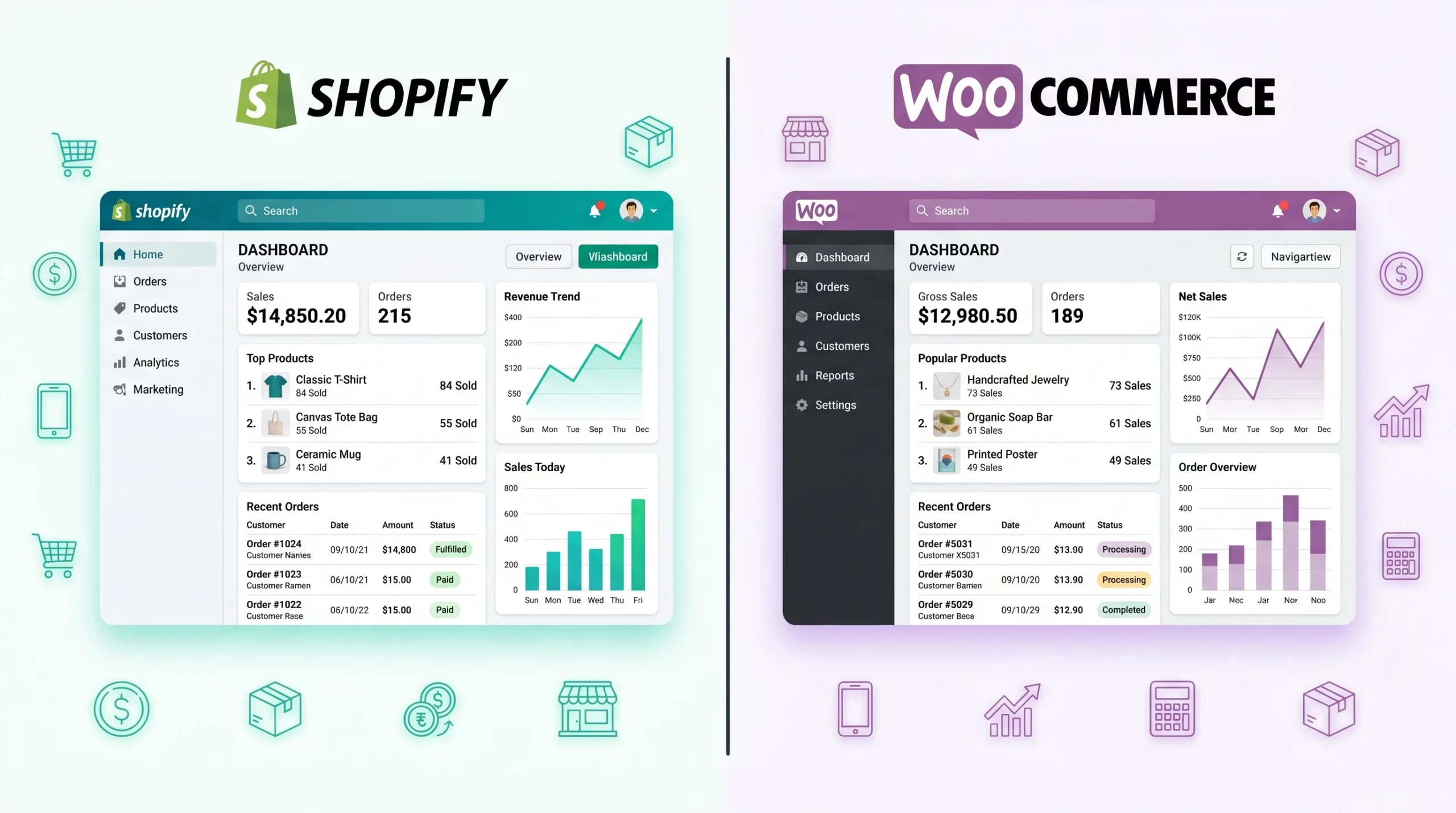
Shopify Vs WooCommerce For Small Online Business: Which Platform Is Better?
Shopify is best for small businesses wanting an easy all-in-one ecommerce platform with minimal technical setup, while WooCommerce is better for businesses needing flexibility, customization, and stronger WordPress integration.
E-commerce for small business can feel overwhelming, especially with all the platform options out there. Two names I hear all the time are Shopify and WooCommerce. I’ve worked with both while helping friends and clients launch their stores, and honestly, both platforms have strengths, it really comes down to what works best for your vibe, tech comfort, and business goals. I’m sharing what I’ve learned, some real-world pros and cons, and what you should consider before choosing between Shopify and WooCommerce for your small online business.
Shopify vs WooCommerce: Quick Comparison
Shopify is a fully hosted ecommerce platform designed for simplicity, fast setup, and minimal technical maintenance, while WooCommerce is a customizable WordPress ecommerce plugin that offers greater flexibility, ownership, and SEO control but requires more hands-on management and technical involvement.
If you’re in a hurry and just want the basics, here’s a fast breakdown:
- Shopify: Hosted, super userfriendly, monthly cost, all-in-one package, easy to scale, strong support.
- WooCommerce: Free WordPress plugin, self-hosted, fully customizable, a bit more technical, pay-as-you-go with plugins & hosting.
Bottom line: Shopify is like having a simple set-it-and-forget-it toolbox, while WooCommerce offers more freedom but expects you to tinker a bit. Both are strong e-commerce for small business choices depending on what you need.
What Is Shopify?
Shopify is best for small business owners who want an easy-to-use ecommerce platform with built-in hosting, security, payment processing, and customer support. It simplifies launching and managing an online store, making it ideal for beginners or businesses prioritizing convenience and fast setup.
If you’re looking for a smooth ride, Shopify offers one of the cleanest, easiest setups I’ve seen. You sign up, pick a theme, add your products, and start selling pretty much the same day. There’s a monthly fee, but it covers hosting, SSL security, updates, and customer support. I find the drag and drop builder is intuitive—even if you’ve never touched a website before, most of the basics are simple to figure out.
Here are the things I really like about using Shopify for small businesses:
- 24/7 Support: I ran into a payment gateway issue once at midnight and the live chat rescued me in a few minutes. That level of support is a relief when your shop is your main income.
- Security & Reliability: Shopify takes care of backups, SSL, and updates without you needing to worry about it. My friend who’s not techy loved not stressing over website attacks or patches.
- App Store: There are tons of official and third party add-ons. I plugged in an email marketing app, an eye-catching review tool, and a shipping calculator, all without code.
- Built-In Payment Processing: No jumping through hoops setting up payments. You can use Shopify Payments, Stripe, PayPal, and more right from the dashboard.
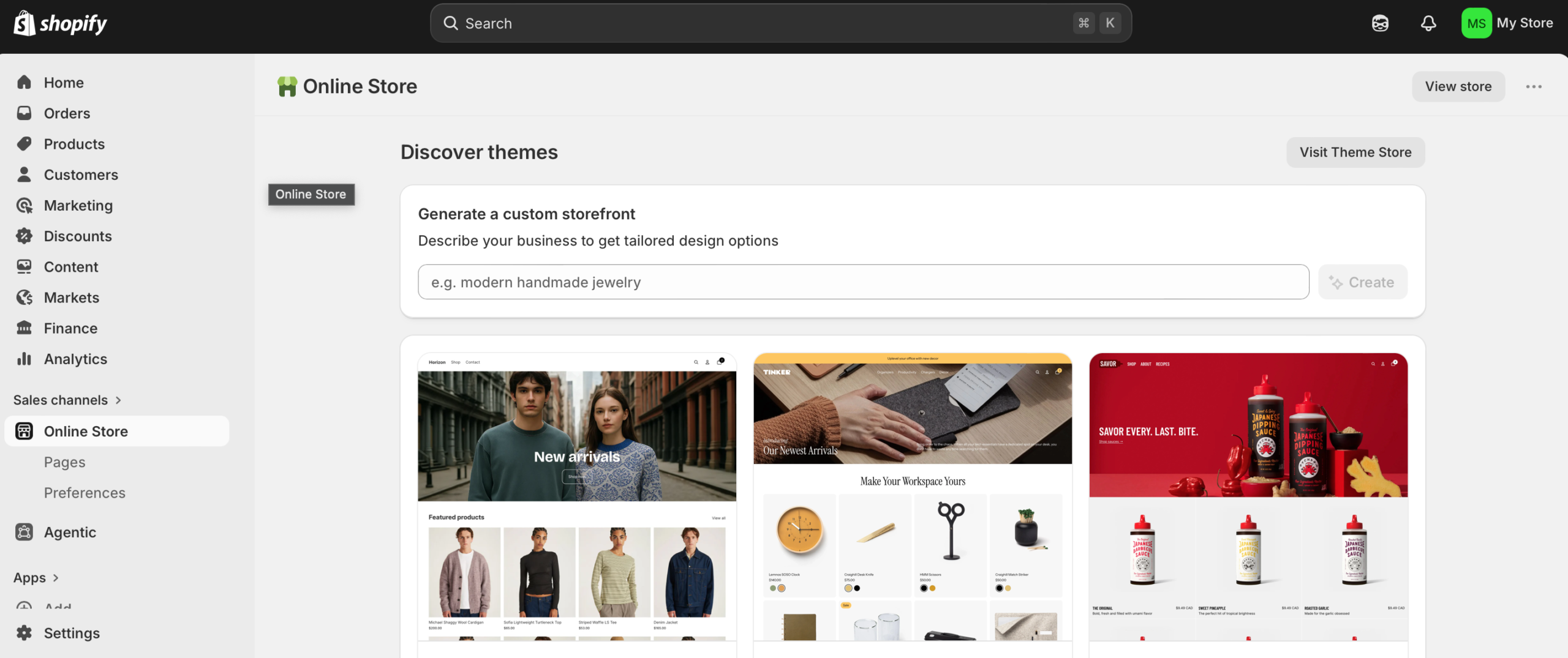
I’ve also found Shopify good for folks who plan on growing quickly, or who don’t want the headache of tech maintenance. It’s not the cheapest with monthly fees, but for what you get, it’s fair. Plus, for small shops just getting started, Shopify’s easy learning curve makes it less risky to test your online business idea without getting bogged down in technicalities.
On the flip side, if you want to tweak every design element or integrate outside tools that Shopify doesn’t officially support, you may find its limitations a bit frustrating. Still, for getting off the ground fast, especially if you aren’t a tech whiz, Shopify deserves its reputation for simplicity and reliability. The built-in analytics also help you track sales, abandoned carts, and customer behaviors, which makes business decisions much easier for beginners and pros alike.
What Is WooCommerce?
WooCommerce is best for small businesses wanting maximum customization, WordPress integration, and full control over their store and data. It offers strong SEO flexibility and lower startup costs but requires more technical management, including hosting, updates, and plugin maintenance.
WooCommerce is a WordPress plugin. If you already have a WordPress site, adding WooCommerce is straightforward. One big perk: WooCommerce itself is free. You do need separate web hosting, and as your needs grow, you might end up paying for premium extensions (like subscription billing, better shipping tools, or advanced analytics).
Some highlights from running a WooCommerce shop:
- Customization: Practically everything is tweakable. Themes, checkout process, product layouts, there are plugins for nearly everything. I once helped a friend launch a tea shop with a totally custom subscription box that Shopify couldn’t handle as smoothly.
- Lower Startup Costs: If you already pay for hosting or run a WordPress blog, you can keep your spending pretty low at the start. Some plugins are free, and there are loads of free themes to choose from.
- Content Power: WooCommerce pairs well with WordPress’s famous blogging features. You can run a blog, process orders, and manage SEO all in one spot.
- Full Data Ownership: Your shop and data live on your chosen server, and you’re not locked to a single provider. That’s handy for privacy or long-term flexibility.
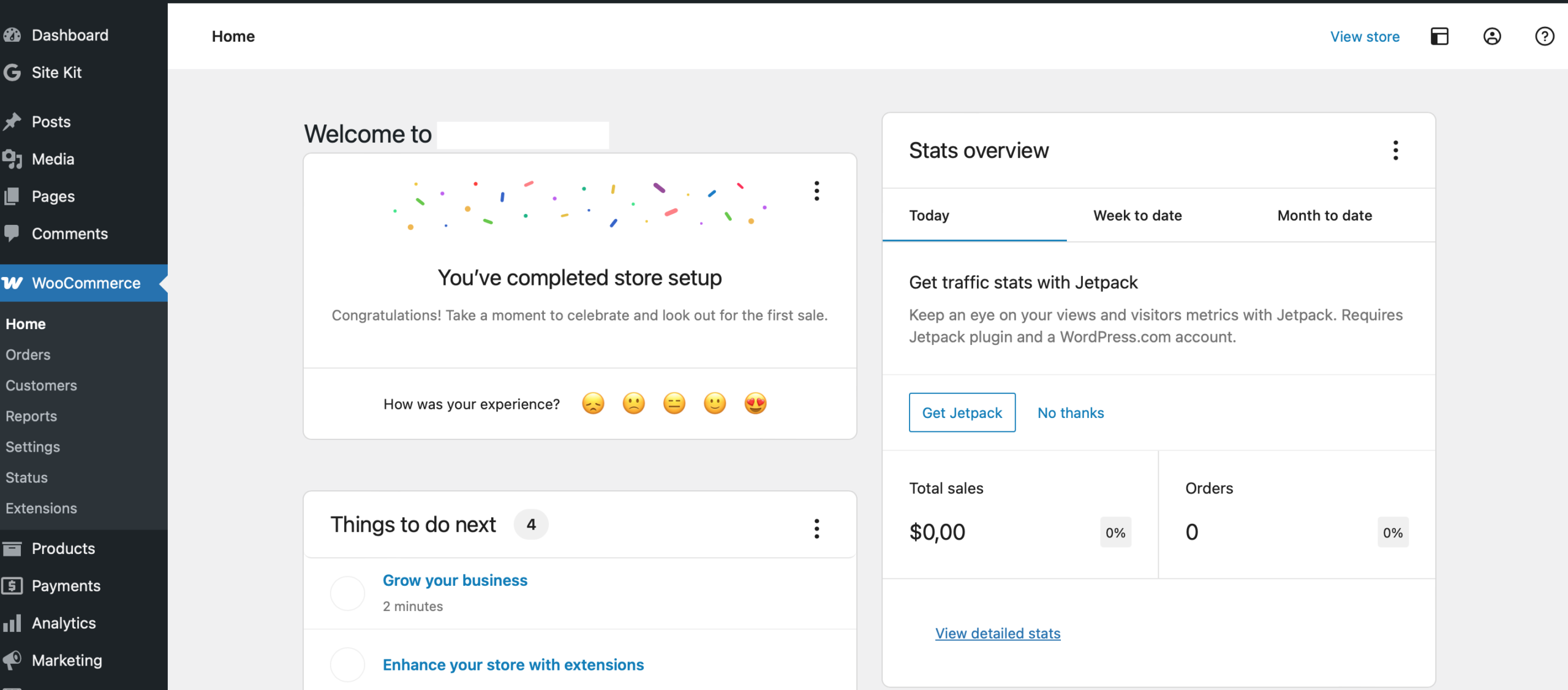
The flip side: WooCommerce asks more from you in terms of regular updates, backups, and basic troubleshooting. Tech-savvy folks enjoy the freedom, it’s sort of like having your own workshop to build exactly what you want, piece by piece. But if something breaks, it’s up to you (or your developer) to fix it.
WordPress also opens up a world of content marketing, which is essential if you want to reach people through articles, guides, or resources tied to your products. WooCommerce is a natural fit for businesses that have already settled into WordPress and want to grow their store right alongside their content. Plus, you can adjust every part of your selling process, from shipping zones to custom checkout fields, all with plugins or minor code tweaks.
Shopify Pros and Cons for Small Businesses
Shopify offers beginner-friendly setup, built-in security, reliable support, and easy scalability, making it ideal for non-technical business owners. However, monthly fees, app costs, and limited customization compared to self-hosted platforms can become disadvantages as stores grow or require advanced functionality.
Shopify has become one of the most popular ecommerce platforms for small businesses because it removes much of the technical stress involved in launching an online store. It’s designed to help beginners get up and running quickly while still offering enough features for growing brands.
Shopify Pros
1. Beginner-Friendly Setup
One of Shopify’s biggest strengths is how simple it is to use. You can create a store, choose a theme, upload products, and start selling without needing coding knowledge. The dashboard is clean and easy to navigate, which makes it ideal for first-time store owners.
2. All-in-One Platform
Shopify includes hosting, SSL security, updates, backups, and performance optimization in one monthly fee. You don’t need to manage separate hosting accounts or worry about website maintenance.
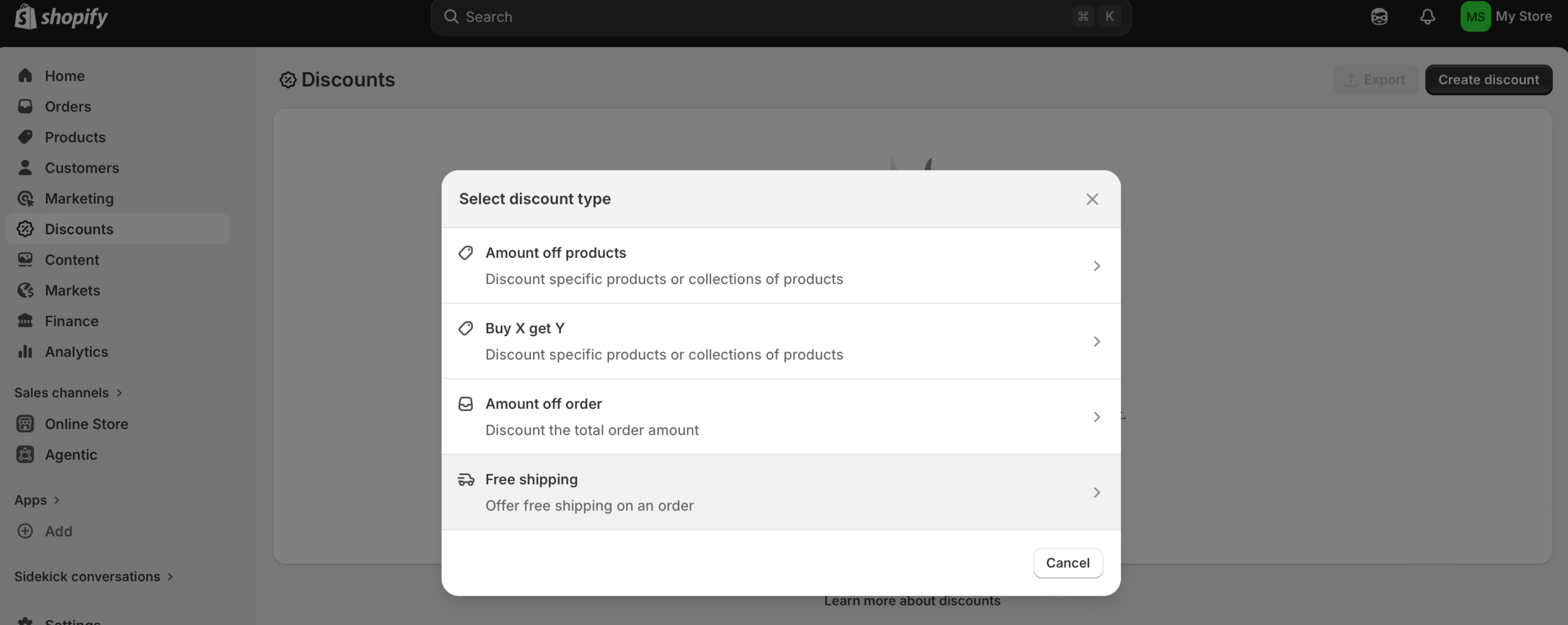
3. Reliable Customer Support
Shopify offers 24/7 customer support through live chat, email, and help documentation. This is especially valuable for small businesses that don’t have a developer on standby when issues appear.
4. Large App Ecosystem
The Shopify App Store includes thousands of integrations for email marketing, reviews, shipping, upsells, analytics, and automation. Many tools can be added in just a few clicks.
5. Fast Performance & Security
Because Shopify is fully hosted, speed and security are handled for you. This reduces the chances of technical issues slowing down your site or exposing customer data.
Shopify Cons
1. Monthly Costs Add Up
Although Shopify is convenient, costs can increase over time. Besides the monthly subscription, many stores eventually pay for premium themes, apps, and transaction fees.
2. Less Customization Freedom
Shopify allows customization, but not at the same level as WooCommerce. Some advanced design or checkout changes require apps or developer assistance.
3. Platform Dependency
Your store operates inside Shopify’s ecosystem. While this simplifies management, it also means you rely heavily on Shopify’s rules, pricing structure, and platform limitations.
4. Extra Fees for Third-Party Payments
If you don’t use Shopify Payments, Shopify may charge additional transaction fees depending on your plan.
WooCommerce Pros and Cons for Small Businesses
WooCommerce provides nearly unlimited customization, full ownership, and strong SEO capabilities through WordPress integration. Its main drawbacks are technical complexity, plugin compatibility issues, hosting management, and the ongoing maintenance required to keep the store secure and optimized.
WooCommerce is a flexible ecommerce plugin built for WordPress websites. It’s popular among business owners who want full control over their store, design, and content strategy.
WooCommerce Pros
1. Full Customization
WooCommerce gives you nearly complete control over your website. From product pages to checkout flows, almost everything can be customized using plugins, themes, or code.
2. Lower Startup Costs
The WooCommerce plugin itself is free. If you already have WordPress hosting, starting an online store can be very affordable compared to monthly ecommerce subscriptions.
3. Excellent for SEO & Content Marketing
WooCommerce works directly with WordPress, which is known for strong blogging and SEO capabilities. This makes it easier to build long-term organic traffic through content marketing.
4. Full Ownership & Flexibility
Your store data, files, and hosting remain under your control. You can switch hosts, modify your site structure, and use almost any third-party tool without platform restrictions.
5. Massive Plugin Ecosystem
There are thousands of WordPress and WooCommerce plugins available for advanced features like memberships, subscriptions, multilingual stores, and custom shipping setups.
WooCommerce Cons
1. Higher Technical Responsibility
Unlike Shopify, WooCommerce requires you to manage hosting, backups, updates, and security yourself or through your hosting provider.
2. Plugin Compatibility Issues
Using many plugins can sometimes lead to compatibility problems after updates. Troubleshooting may require technical knowledge or developer support.
3. Performance Depends on Hosting
Your store’s speed and reliability depend heavily on your hosting quality. Cheap hosting can create slow loading times and poor user experience.
4. Steeper Learning Curve
WooCommerce is more flexible, but that flexibility comes with complexity. Beginners may need extra time to understand WordPress, plugins, and website management.
Shopify vs WooCommerce Pricing
Shopify uses predictable monthly pricing with hosting and maintenance included, while WooCommerce has lower startup costs but variable expenses for hosting, plugins, security, and optimization. Shopify typically costs more financially, while WooCommerce often requires more technical time and management.
Pricing is one of the biggest differences between Shopify and WooCommerce, especially for small businesses trying to manage startup costs carefully.
Shopify Pricing
Shopify uses a subscription model with predictable monthly pricing. Plans typically start around $29/month, though many businesses eventually spend more after adding apps, premium themes, or advanced features.
Typical Shopify costs may include:
- Monthly subscription
- Premium apps
- Paid themes
- Transaction fees
- Email marketing tools
The advantage is predictability. You know roughly what your monthly expenses will look like.
WooCommerce Pricing
WooCommerce itself is free, but running a WooCommerce store still involves expenses.
Common WooCommerce costs include:
- Web hosting
- Domain name
- Premium plugins
- Security tools
- Backup services
- Developer help (optional)
For very small stores, WooCommerce can start cheaper than Shopify. However, as customization and traffic grow, costs can become less predictable.
Estimated Monthly Costs Comparison
Business StageShopifyWooCommerceBeginner Store$29–50/mo$10–25/moGrowing Store$100–200/mo$50–150/moAdvanced Store$300+/moVariable
Overall, Shopify simplifies pricing while WooCommerce gives you more flexibility to control expenses.
Which Platform Is Easier for Beginners?
Shopify is generally easier for beginners because it includes hosting, security, updates, and customer support in one platform. WooCommerce offers greater flexibility but has a steeper learning curve due to WordPress setup, plugin management, and ongoing website maintenance responsibilities.
For most beginners, Shopify is easier to learn and launch.
The platform was designed specifically for people who want to start selling online quickly without dealing with technical setup. Hosting, security, updates, and payment processing are already built in, so beginners can focus mainly on products and marketing.
WooCommerce has a steeper learning curve because it runs through WordPress. You’ll need to understand hosting, plugins, themes, and website maintenance. While none of these are impossible to learn, they can feel overwhelming for first-time store owners.
Shopify Is Better For:
- Non-technical beginners
- Fast store launches
- Simple management
- People who want support available anytime
WooCommerce Is Better For:
- Users already familiar with WordPress
- People comfortable learning web basics
- Businesses wanting deeper customization
- Owners focused heavily on content marketing
If your goal is simplicity and speed, Shopify usually wins for beginners.
Which Is Better for SEO?
WooCommerce is often considered better for advanced SEO because it runs on WordPress and supports powerful SEO plugins, flexible site structures, and content marketing strategies. Shopify still performs well for SEO but offers less customization for technical optimization and blogging workflows.
Both Shopify and WooCommerce can rank well in Google, but WooCommerce generally offers more SEO flexibility.
Because WooCommerce runs on WordPress, it gives users access to advanced SEO plugins like Rank Math and Yoast SEO. You also gain more control over technical SEO settings, blogging structure, internal linking, and content organization.
Shopify still performs well for SEO and includes many built-in optimization features like:
- mobile-friendly themes
- SSL security
- fast hosting
- customizable title tags and meta descriptions
However, Shopify can feel more restrictive for advanced SEO customization compared to WordPress.
WooCommerce SEO Advantages
- Better blogging tools
- Advanced SEO plugins
- More control over URLs and structure
- Easier long-form content strategy
Shopify SEO Advantages
- Faster technical setup
- Reliable speed optimization
- Less maintenance required
- Beginner-friendly SEO settings
For businesses relying heavily on content marketing and organic traffic, WooCommerce often has the edge.
Shopify vs WooCommerce for Scaling
Shopify simplifies scaling by managing hosting performance, security, and infrastructure automatically, while WooCommerce offers greater scalability flexibility through custom hosting and optimization. Shopify is easier for non-technical scaling, whereas WooCommerce gives businesses more control over long-term customization and infrastructure.
Both Shopify and WooCommerce can support growing online businesses, but they scale differently.
Shopify handles most technical scaling automatically. As traffic, orders, and products increase, Shopify manages server performance, security, and infrastructure behind the scenes. This makes scaling simpler for business owners who don’t want technical responsibilities.
WooCommerce can also scale successfully, but growth usually requires more hands-on management. Larger stores may need:
- stronger hosting
- caching systems
- CDN services
- database optimization
- developer support
The advantage is flexibility. WooCommerce allows businesses to customize almost every part of the scaling process.
Shopify Scaling Strengths
- Managed infrastructure
- Reliable uptime
- Easier high-traffic handling
- Less technical management
WooCommerce Scaling Strengths
- Full customization freedom
- No platform limitations
- Flexible server choices
- Better control over optimization
For businesses prioritizing simplicity and operational stability, Shopify is often easier to scale. For businesses wanting maximum control and long-term customization flexibility, WooCommerce offers more freedom.
Main Differences That Matter for Small Businesses
- Ease of Use: Shopify is easier for beginners. WooCommerce has a learning curve, especially if you’re brand new to WordPress and web stuff.
- Cost: Shopify bundles everything into a monthly package. WooCommerce is free but you’ll pay for hosting (typically $5–20/mo), premium plugins, and possibly security tools.
- Design Flexibility: Shopify themes are polished and quick to set up, custom designs on WooCommerce might take more tinkering but can be more unique in the end.
- Payment Methods & Fees: Shopify Payments is smooth, but there’s an extra fee if you use other gateways. WooCommerce gives you tons of gateways but setup might take an extra step or two.
- Feature Expansion: Both have loads of extensions, but Shopify apps tend to just work, while WooCommerce plugins sometimes need updates or tweaking between versions.
- Scalability: Shopify manages increased traffic or orders for you. WooCommerce can scale too, but you may have to upgrade your hosting or tweak site performance as you grow.
What Most Shopify vs WooCommerce Reviews Don’t Tell You
Most Shopify vs WooCommerce reviews overlook hidden realities like rising Shopify app costs, WooCommerce maintenance demands, hosting quality impacts, plugin conflicts, and long-term platform dependency. The best platform often depends more on technical comfort and workflow preferences than features alone.
Most comparisons between Shopify and WooCommerce focus on features, pricing, and ease of use. Those things matter, but after seeing real small businesses use both platforms, I’ve noticed there are a few realities that many reviews skip over completely.
These “hidden truths” can make a much bigger difference once your store starts growing.
Shopify Can Become Expensive Faster Than You Expect
Shopify looks simple on the surface because everything is bundled together, but many store owners underestimate how quickly app costs stack up.
A basic store might only need the monthly plan, but as your business grows, you may start adding:
- email marketing tools
- upsell apps
- advanced analytics
- subscription systems
- review apps
- shipping automation
Many of these apps charge monthly fees individually. I’ve seen small stores paying over $100/month in app subscriptions alone without realizing it at first.
The convenience is excellent, but convenience often comes with recurring costs.
WooCommerce Requires More Maintenance Than Most Beginners Expect
WooCommerce gives you incredible flexibility, but it also means you’re responsible for much more behind the scenes.
What many beginners don’t realize is that maintaining a WooCommerce store involves:
- plugin updates
- WordPress updates
- backups
- security monitoring
- occasional troubleshooting
Most of the time things work smoothly, but plugin conflicts do happen. I’ve seen stores break temporarily after major updates because two plugins stopped working together.
If you enjoy learning web tools, this may not bother you. But if you want a completely hands-off experience, WooCommerce can feel overwhelming over time.
Shopify Limits Some Advanced Customization
Shopify is intentionally structured to stay simple and stable. That’s great for beginners, but sometimes frustrating for advanced users.
For example, highly customized checkout flows, special product logic, or unique backend workflows may require:
- paid apps
- Shopify Plus
- custom development
This usually isn’t an issue for small stores early on, but businesses with unusual requirements may eventually feel restricted by Shopify’s ecosystem.
WooCommerce Performance Depends Heavily on Hosting
Many reviews mention that WooCommerce is “cheap,” but they rarely explain how much hosting quality affects performance.
Cheap hosting can create:
- slow loading times
- checkout lag
- security risks
- crashes during traffic spikes
A properly optimized WooCommerce store can be extremely fast, but reaching that level often requires better hosting and occasional optimization work.
That hidden cost surprises many beginners.
Shopify Makes Technical Problems Easier to Handle
One thing I genuinely appreciate about Shopify is how much stress it removes during emergencies.
If something goes wrong:
- support is available quickly
- backups are handled
- security is managed
- hosting stays stable
For business owners who rely on their store as their primary income source, that peace of mind matters more than most reviews acknowledge.
With WooCommerce, solving issues often means contacting:
- your hosting provider
- plugin developers
- freelancers
- WordPress forums
That independence can be powerful, but it also means more responsibility lands on you.
WooCommerce Gives You More Long-Term Control
One advantage WooCommerce users often appreciate later is ownership and flexibility.
Because your site is self-hosted, you control:
- your data
- your hosting
- your plugins
- your website structure
- your monetization methods
You’re not tied to a single company’s ecosystem or pricing decisions.
For businesses focused on long-term SEO, content marketing, or highly customized customer experiences, that flexibility can become extremely valuable over time.
The “Best” Platform Depends More on Personality Than Features
After watching different businesses use both platforms, I’ve noticed the decision often comes down less to features and more to personality.
Shopify usually works best for people who:
- want simplicity
- dislike technical problems
- value speed and support
- prefer predictable systems
WooCommerce often works best for people who:
- enjoy customization
- want full ownership
- already use WordPress
- are comfortable experimenting and learning
That’s why there’s no universal winner. The better platform is usually the one that matches how you prefer to work.
Real Cost Examples: Shopify vs WooCommerce for Small Businesses
Real ecommerce costs extend beyond platform pricing. Shopify often becomes more expensive through monthly app subscriptions and premium plans, while WooCommerce requires spending on hosting, plugins, security, and occasional optimization. Shopify trades higher financial costs for convenience, while WooCommerce trades flexibility for maintenance effort.
One of the biggest mistakes new store owners make is assuming Shopify or WooCommerce will cost exactly what the pricing pages show. In reality, the total cost depends heavily on how your business grows, what features you need, and how much technical work you handle yourself.
Here’s a more realistic look at what small businesses often spend when using Shopify or WooCommerce.
Beginner Store Costs (0–50 Products)
This is the stage where you’re testing a business idea, launching your first products, or starting a side hustle.
Typical Shopify Beginner Costs
ExpenseEstimated CostShopify Basic Plan$29–39/moDomain Name$10–20/yearPremium Theme (optional)$0–250 one-timeApps$0–30/moTransaction FeesVariable
Estimated Total:
Around $40–80/month
Shopify is often more expensive upfront, but setup is extremely simple and predictable.
Typical WooCommerce Beginner Costs
ExpenseEstimated CostHosting$5–15/moDomain Name$10–20/yearWooCommerce PluginFreeTheme$0–100 one-timePlugins$0–30/moSecurity/Backup Tools$0–10/mo
Estimated Total:
Around $15–50/month
WooCommerce can start much cheaper if you use free plugins and basic hosting.
Growing Store Costs (50–500 Products)
As stores grow, business owners usually add:
- email marketing
- advanced shipping tools
- upsells
- analytics
- automation
- subscription systems
This is where platform costs start separating more clearly.
Typical Shopify Growing Store Costs
ExpenseEstimated CostShopify Plan$79–105/moPremium Apps$50–150/moEmail Marketing$20–100/moPremium Theme$200–350 one-timeTransaction FeesVariable
Estimated Total:
Around $150–350/month
The convenience stays high, but app subscriptions can stack quickly.
Typical WooCommerce Growing Store Costs
ExpenseEstimated CostBetter Hosting$25–80/moPremium Plugins$50–150/yearSecurity & Backup Tools$10–30/moEmail Marketing$20–100/moDeveloper Help (occasional)Variable
Estimated Total:
Around $80–250/month
WooCommerce often stays cheaper long term, but maintenance responsibilities increase.
Advanced Store Costs (High Traffic or Complex Features)
At this level, stores usually need:
- advanced performance optimization
- custom functionality
- automation systems
- subscription management
- international selling
- large product catalogs
Typical Shopify Advanced Costs
ExpenseEstimated CostAdvanced Shopify Plan$399+/moEnterprise Apps$100–500/moAutomation Tools$50–300/moDeveloper CustomizationsVariable
Estimated Total:
$500–1,500+/month
Shopify remains stable and scalable, but costs can become significant for advanced stores.
Typical WooCommerce Advanced Costs
ExpenseEstimated CostHigh-Performance Hosting$100–500/moPremium Plugins$200–800/yearCDN & Performance Tools$20–100/moDeveloper MaintenanceVariable
Estimated Total:
$250–2,000+/month
WooCommerce costs vary widely because you control your infrastructure and customization level.
Hidden Costs Most Beginners Forget
Regardless of platform, many new store owners overlook these expenses:
- product photography
- email marketing software
- premium themes
- SEO tools
- paid advertising
- abandoned cart recovery
- custom branding
- developer help
These costs often matter more than the platform itself.
Which Platform Is More Cost Predictable?
Shopify
Shopify is easier to budget because pricing is subscription-based. Most expenses are fixed monthly costs, which makes financial planning simpler for beginners.
WooCommerce
WooCommerce gives more flexibility to control spending, but costs can vary depending on hosting quality, plugin choices, and maintenance needs.
My Honest Take on Ecommerce Costs
From what I’ve seen, Shopify usually costs more financially but saves time and technical stress.
WooCommerce often costs less at the beginning, especially if you already use WordPress, but it asks for more involvement and occasional troubleshooting as your store grows.
Neither platform is truly “cheap” once a business becomes successful. The real question is whether you’d rather pay with:
- money and convenience (Shopify)
or - time and flexibility (WooCommerce)
What to Consider Before Deciding
After seeing both in action, I recommend making your choice based on these points, it’s what I ask clients before any build:
- How comfortable are you with web tech? If you just want to sell and avoid tech hurdles, Shopify’s a better bet. If you don’t mind learning some WordPress basics (or can pay a developer sometimes), WooCommerce gives more freedom.
- What’s your budget? Shopify makes expenses predictable. WooCommerce may seem free but don’t forget hosting, premium plugins, and occasional developer help—even small things can add up over time.
- Do you plan on blogging or content marketing? WooCommerce shines if you want to update your audience regularly, share super detailed guides, or focus on SEO.
- Do you want full ownership and control? If you want your data off the big platforms, WooCommerce is the call. Shopify is easier and safer for less tech-inclined users, but it does mean trusting Shopify’s ecosystem fully.
Another point to think about: Who will support you when something breaks or you want to add a feature? Shopify’s customer service is a lifeline for emergencies. With WooCommerce, you often have to get help from WooCommerce’s forums, plugin developers, or hire someone. Sometimes, that independence is a big plus if you want to pick your own experts.
What Using Shopify Actually Felt Like
The first thing I noticed while helping someone launch a Shopify store was how quickly momentum builds. Within a few hours, products were uploaded, payments were connected, and the store already looked polished enough to share publicly.
That simplicity reduces hesitation for beginners. Instead of getting stuck configuring hosting or troubleshooting plugins, you spend more time focusing on products, branding, and marketing.
The tradeoff showed up later. As the store grew, we kept adding paid apps for reviews, email capture, upsells, and analytics. Individually the apps felt affordable, but together they became a noticeable monthly expense surprisingly fast.
Unexpected WooCommerce Problems I Ran Into
One thing that surprised me with WooCommerce was how small plugin updates could occasionally create bigger issues than expected.
In one case, a shipping plugin stopped syncing properly after a WordPress update, which caused incorrect shipping rates at checkout. Fixing it wasn’t impossible, but it required troubleshooting plugins one by one until the conflict was found.
That experience taught me something important: WooCommerce gives incredible flexibility, but flexibility also means more moving parts to manage over time.
Who Usually Regrets Choosing Shopify?
From what I’ve seen, people who regret choosing Shopify are usually the ones who eventually want deep customization or highly unique store functionality.
At first, Shopify feels incredibly smooth. But over time, some business owners become frustrated by recurring app fees or limitations around advanced checkout and design changes.
If you already know you enjoy customizing websites or want total ownership over your platform, WooCommerce may feel less restrictive long term.
Who Usually Regrets Choosing WooCommerce?
WooCommerce tends to frustrate people who thought “free” meant completely hands-off.
The platform itself is powerful, but beginners sometimes underestimate the time needed for updates, backups, security checks, and plugin troubleshooting.
If technical problems create stress or slow your momentum, Shopify may ultimately feel worth the higher monthly cost.
What I’d Personally Choose in Different Situations
If I wanted to launch a store quickly with minimal stress, I’d choose Shopify.
If I already had a WordPress website or planned to rely heavily on blogging and SEO, I’d choose WooCommerce.
If I were building a highly customized membership or subscription business, I’d lean toward WooCommerce because of the flexibility.
If I were helping a complete beginner launch their first online business, I’d almost always recommend Shopify first because removing technical friction matters more early on than advanced customization.
Frequently Asked Questions
Which is easier to launch for a beginner?
Shopify is much faster and simpler if you’ve never built a site before. You can literally get a store live in a few hours, without ever touching code.
Can I switch from one to the other later?
Yes, with some work. There are migration tools for moving between Shopify and WooCommerce, but expect a bit of time (and maybe some fees) to transfer data, products, and customers.
Which is better for international selling?
Both handle multiple currencies and international shipping, but Shopify’s built-in features and payment gateways make it simpler to start. WooCommerce does it all too, but you might need extra plugins and a bit of setup.
Is WooCommerce really free?
The main plugin is free, but most successful shops end up adding paid extensions and quality hosting. Plan for some recurring costs, just more flexible and often lower than Shopify’s fixed fee if you keep it basic.
What about SEO?
Both are solid for SEO, but WooCommerce on WordPress has an edge due to access to powerful SEO plugins and better blogging tools. Shopify’s SEO is good, though a bit less customizable.
The Core Idea, My Take, and Where To Go From Here
Shopify is ideal for small business owners prioritizing simplicity, support, and fast setup, while WooCommerce suits users wanting deeper customization, WordPress integration, and long-term flexibility. Both platforms can support successful ecommerce businesses depending on technical comfort, budget, and growth strategy.
Deciding between Shopify and WooCommerce comes down to what kind of experience you want. Shopify removes a bunch of the technical baggage and lets you focus on selling. WooCommerce asks you to learn more up front but pays you back in freedom as your shop grows.
If I had to recommend one to someone who dreads technology, I’d send them to Shopify. For anyone wanting maximum control, a tight budget, or already familiar with WordPress, WooCommerce wins. Both are powerful, e-commerce for small business is doable whichever route you take. Give yourself permission to start simple, no platform is permanent, and tweaks are part of the adventure.
Still unsure which platform fits your business? Start with the platform that matches your technical comfort level, simplicity or flexibility.
Which platform do you think would better suit your shop’s vibe? Or is there a question you’re still stuck on? Drop a comment with what’s on your mind, I’m always here to talk shop!